

Paid media thatanswers to you.
Ask AI to the waste, the fix and it — with your approval on every dollar.
From question to live change.
Safe enough for live spend because nothing acts alone.
Ask
“Which campaigns wasted spend last week?” — answered from live account data, not last month's export.
Propose
A budget shift, a negative-keyword list, a new campaign — drafted with the exact changes spelled out.
Approve
You see the exact change first. Budget and bid moves above your threshold ask twice.
Track
New campaigns land paused. Every change is on the record and in the client's report by the next login.
The campaign types you actually run.
Performance Max
Asset groups, listing groups and signals — read, edited and created paused, ready for your review.
Search
Campaigns, ad groups, RSAs, keywords and negatives — read everything, change what you approve.
Demand Gen
YouTube, Discover and Gmail placements with in-place ad updates.
Meta campaigns
Campaigns, ad sets and ads — including video and carousel creatives — with the same approval gate. Opens when Meta approves the app.
Budgets & bids
Rebalance across campaigns and platforms from one approval; pacing questions answered in chat.
Creative & assets
Headlines, descriptions and assets reviewed and updated without opening an ads editor.
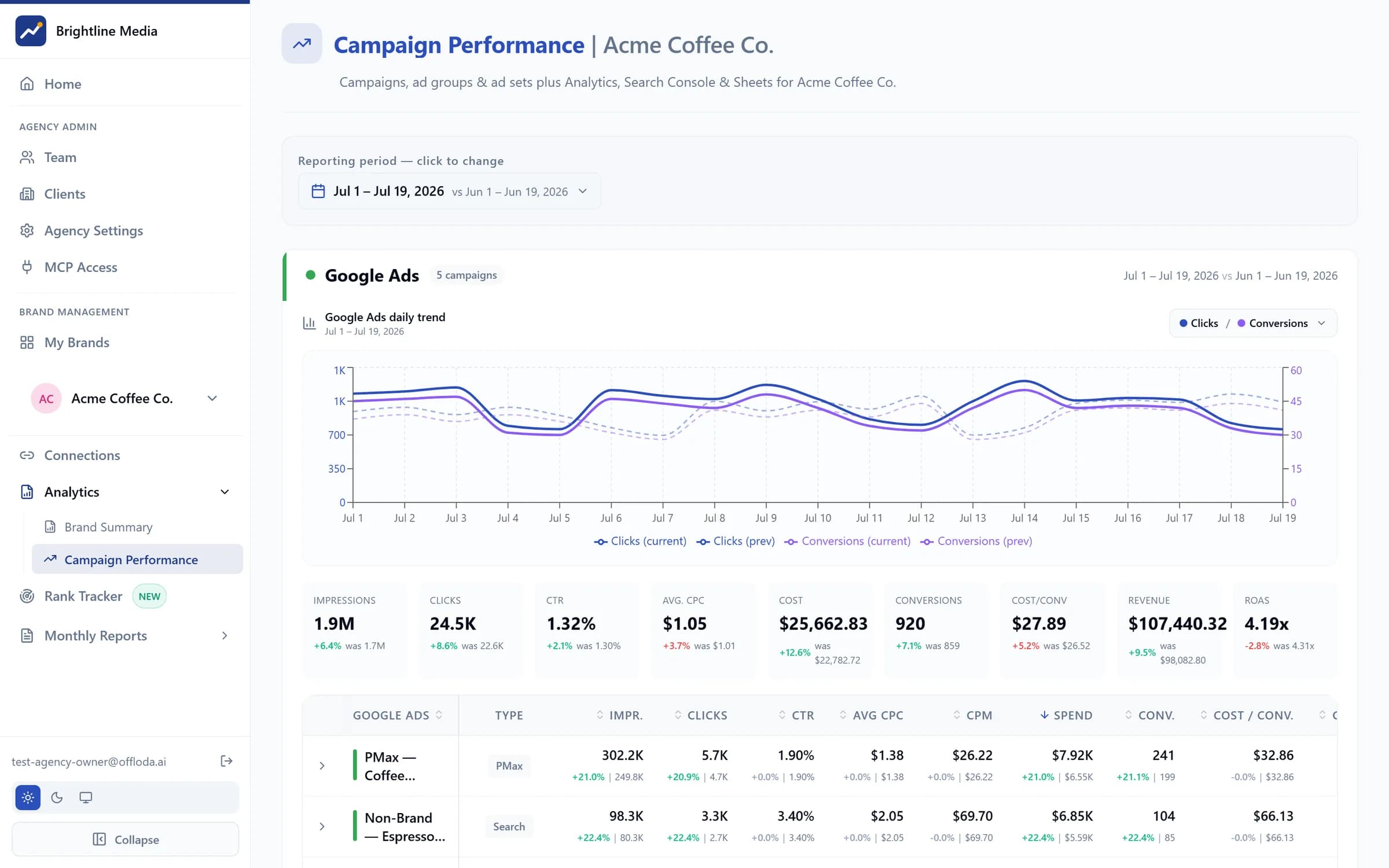
Every level, one table.
Campaigns to ad groups, asset groups and ad sets — Google and Meta side by side, with period-over-period deltas on every metric. The same view your team works in and your clients see, white-labelled.
- Google + Meta drill-downs with prior-period comparison
- Daily trend against the previous period
- Exports that match what the dashboards show
Paid never runs alone.
The same workspace reads your organic and measurement stack — so paid decisions use all of it.
Search Console
Buy vs. earn: stop paying for the queries you already rank for.
Google Analytics
Close the ROAS loop with conversion and audience behaviour.
AI-search visibility
Defend branded demand when AI answers shift where clicks come from.
Per client, under your brand.
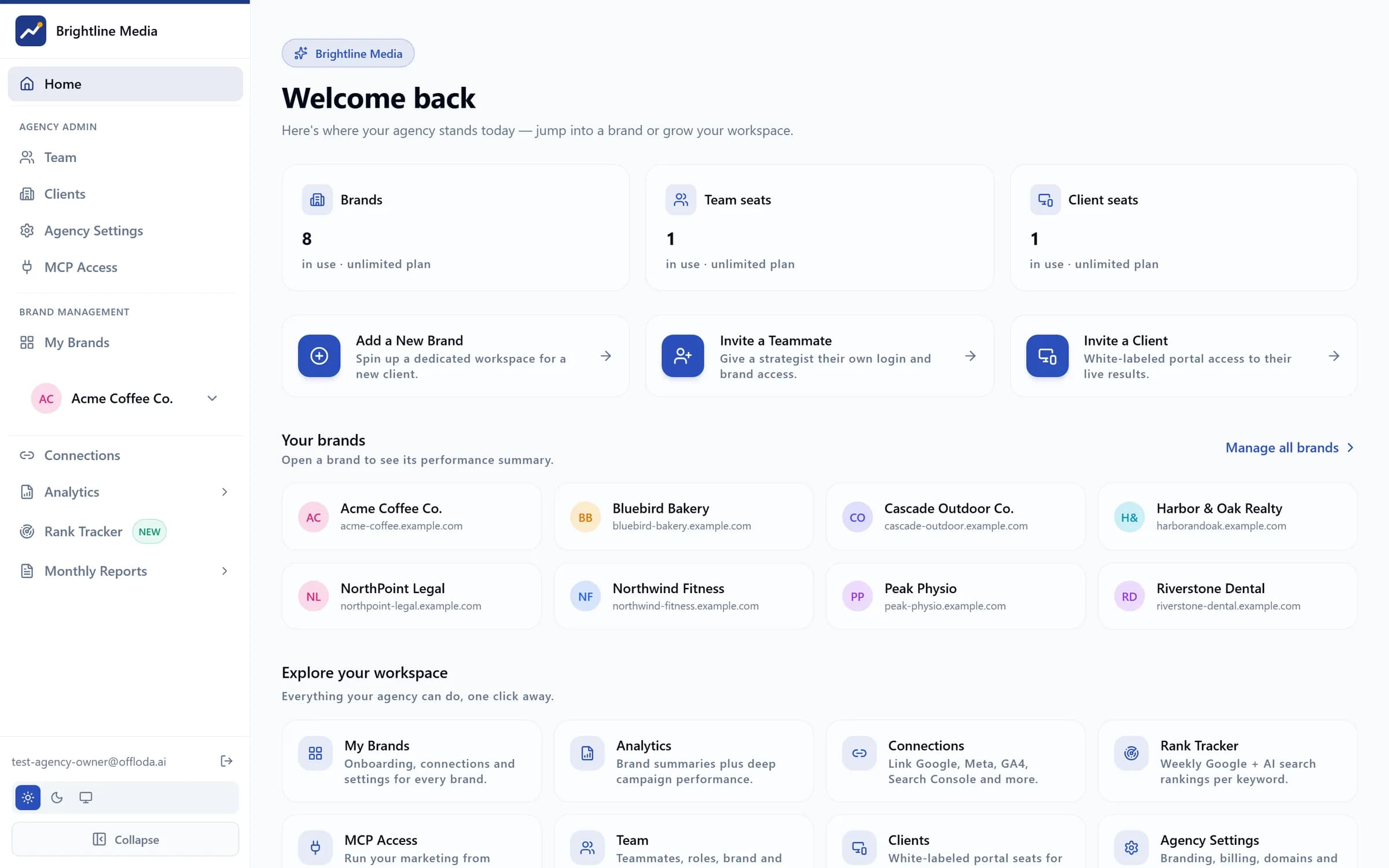
Each client's ad accounts live in their own private workspace. Your team sees only the brands and platforms you've given them, and clients watch results in a portal that carries your name — not ours.
- One private workspace per client
- Each seat scoped to its brands and platforms
- White-label dashboards and reports
The part they didn't expect.
“Wow. It's the first time I truly understand what is going on in our marketing campaigns with such detail.”
“I just cleared my weekly account checklist by 11am on Monday. I might have to find some new clients to stay busy.”
“I audited our site and fixed 3 issues on Search Console and Key Events missing in Google Analytics that I did not know were missing.”
Paid media questions
Can the AI change a budget on its own?
No. Every budget or bid change is shown to you as an exact before-and-after and waits for your yes. Moves above the threshold you set ask twice. New campaigns start paused. The AI drafts the move; you make it.
Which ad platforms does it actually write to?
Google Ads and Meta Ads (pending Meta's approval). On Google: Search, Performance Max and Demand Gen — campaigns, ad groups, asset groups, keywords, negatives, budgets, bids and creative. On Meta: campaigns, ad sets and ads, including video and carousel creative. LinkedIn Ads is read-only, so it's in the analysis but not the changes.
Do I still need Google Ads Editor?
Most days, no. The changes agencies make weekly — budgets, negatives, RSA copy, pausing and launching — happen from chat. For deep bulk restructures the native editor still has its place, and we'd rather say so. The difference is that nobody has to open it to answer a client's question.
How does it know what 'wasted spend' is?
From the account's own numbers, live. It reads search terms, placements, pacing and conversions across Google and Meta at the moment you ask — not from last month's export — and ranks the leaks by dollars. Then it drafts the negatives or the budget shift, and you decide.
Can my client see any of this?
Only what you show them. Client seats are read-only portal logins under your brand, $50 a month each: the same campaign tables and reports, view-only, always current. They never see the chat, the drafts or the Offloda name.
Run paid from the palm of your hand.
Runs on your own AI subscription · New campaigns start paused · One private workspace per client.