

Google Analytics MCP — ask GA4 questions in plain language.
why the numbers moved, the guardrail and the fix — every change annotated and logged.
What the Google Analytics MCP is
The Offloda Google Analytics MCP turns GA4 from a maze of explorations into a question you can just ask. It's the measurement half of the loop: the ad platforms report what they spent; GA4 reports what actually happened — and Offloda reads both in the same conversation, per client, live.
What you can do
Sessions, engagement, key events and revenue by channel, source, page or audience — live GA4 data, summarized in plain language.
Attribution and cross-platform analysis: see which channels actually assist conversions and rebalance spend accordingly.
Define key events from chat — decide what counts as a conversion without spelunking the GA4 admin.
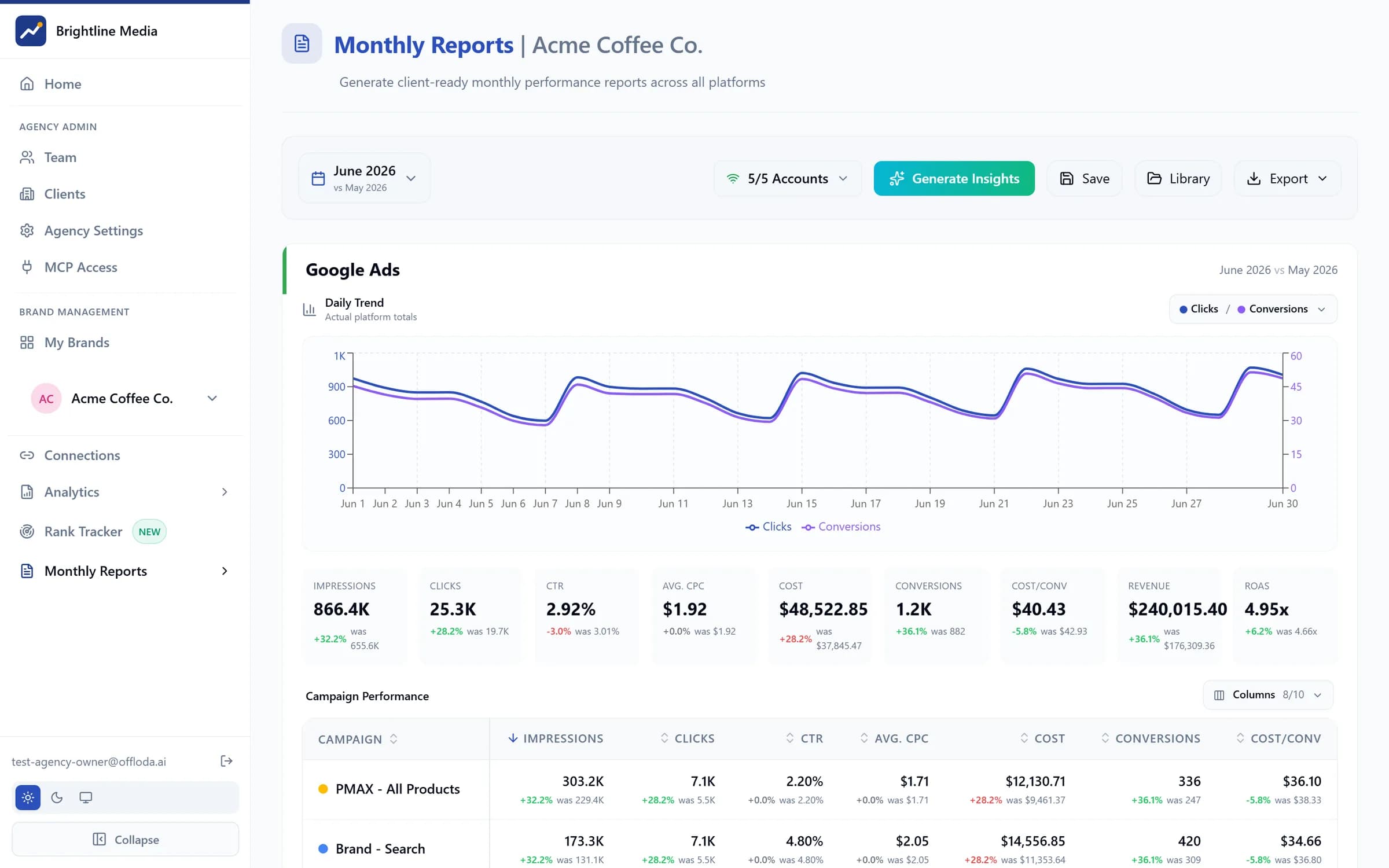
Channel and campaign performance into branded monthly reports and live dashboards.
How changes reach Google Analytics
Every change is shown to you first, as the exact before-and-after, and waits for your yes. High-risk changes ask twice, and new campaigns start paused. Nothing touches your live Google Analytics account without your approval — so a junior, or the AI itself, can work on it without putting it at risk.
Connects with
Google Analytics is one input in the same workspace — these are the plays it unlocks with the rest of your stack.
Google Ads
Close the ROAS loop. Judge campaigns on GA4 key events and revenue, not platform-reported clicks.
Meta Ads
The after-the-click referee. Compare Meta traffic quality — engagement, conversions — against every other channel on equal terms.
Search Console
Full-funnel organic. GSC shows how they found you; GA4 shows what they did next. Together: which queries actually convert.
AI-search visibility
Measure the new referral channel. Watch sessions arriving from AI assistants rise as your answer visibility climbs.
Channel & source reporting · page and landing-page analysis · key-event configuration · attribution analysis · cross-platform comparison · audience insights · custom GA4 queries.
Every change waits for your yes; every client stays in its own private workspace.
Security
OAuth connection — Offloda never sees your password. Tokens are scoped and encrypted at rest. Every client brand is in its own private workspace; nothing crosses between clients. No AI keys in the browser. Every action is on the record.
For agencies
Connect each client's Google Analytics in its own private workspace. Your team sees only the accounts you've given them. Clients experience it as your product — your brand, your domain. Add Google Analytics to a client in minutes, not a migration.
vs. a raw Google Analytics MCP
Most GA4 MCPs are raw API passthrough — you get JSON and you're on your own. Offloda scopes every query to the right client's private workspace, renders answers into client-ready reporting, and sits in the same workspace as the ad platforms — so measurement feeds action instead of ending in a chat window.
Frequently asked questions
Which GA4 dimensions and metrics can I query?
The standard GA4 surface — sessions, engagement rate, key events, revenue, channels, sources, pages, demographics — plus fully custom dimension/metric queries when the standard reports aren't enough.
Do I need BigQuery or a data warehouse?
No. Queries run against GA4's live reporting API. No exports, no sync pipelines, no warehouse bills — the number you get is the number GA4 has right now.
Is it read-only?
Reads, plus one configuration change that waits for your yes: you can define GA4 key events from chat. It never deletes properties or rewrites your tracking setup.
Do my clients see any of this?
Only what you give them: GA4 data flows into white-label dashboards, monthly reports and the client portal — under your brand, never Offloda's.
Google Analytics MCP — approved by you, under your brand.
Runs on your own AI subscription · New campaigns start paused · One private workspace per client