

Your clients seeyour brand.
They ask in plain language and the answers as you — then the next client in minutes.
Everything they ask about, on one screen.
Each channel gets its own live view — no exports, no waiting for the monthly deck.
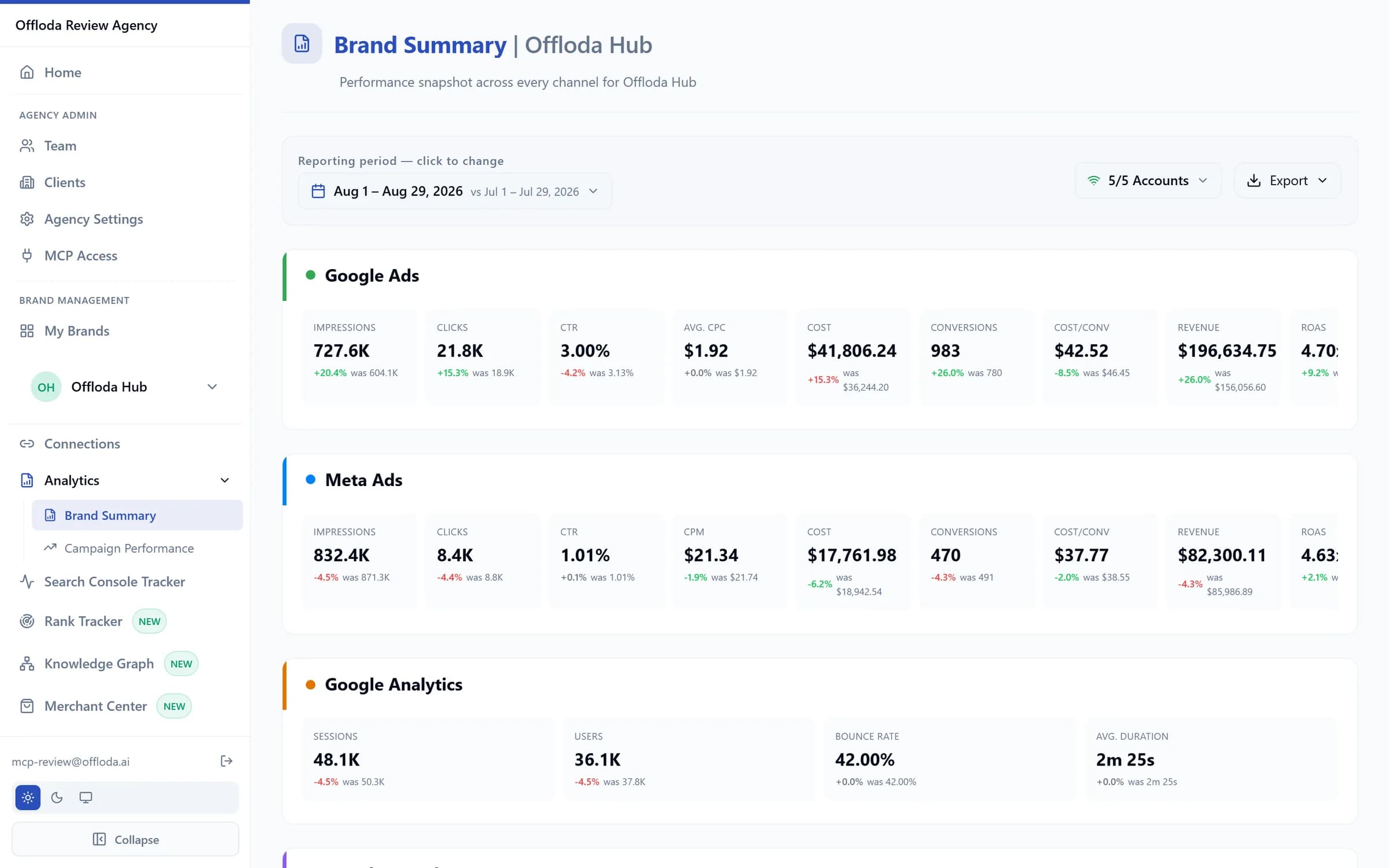
Summary page
The whole month at a glance: cross-channel KPIs and AI-written highlights.
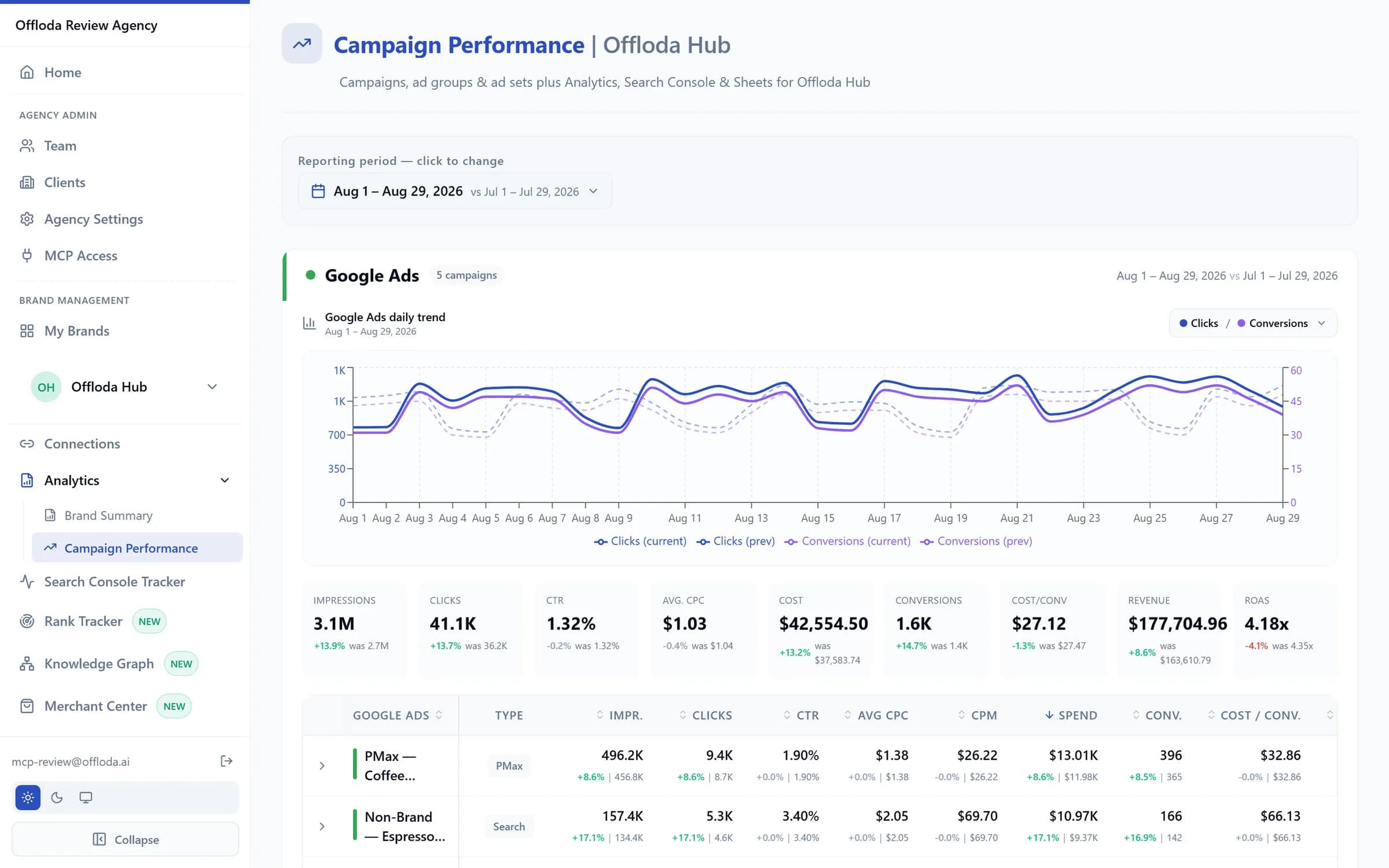
Google Ads
Spend, conversions, CPA and ROAS with campaign-level drill-down.
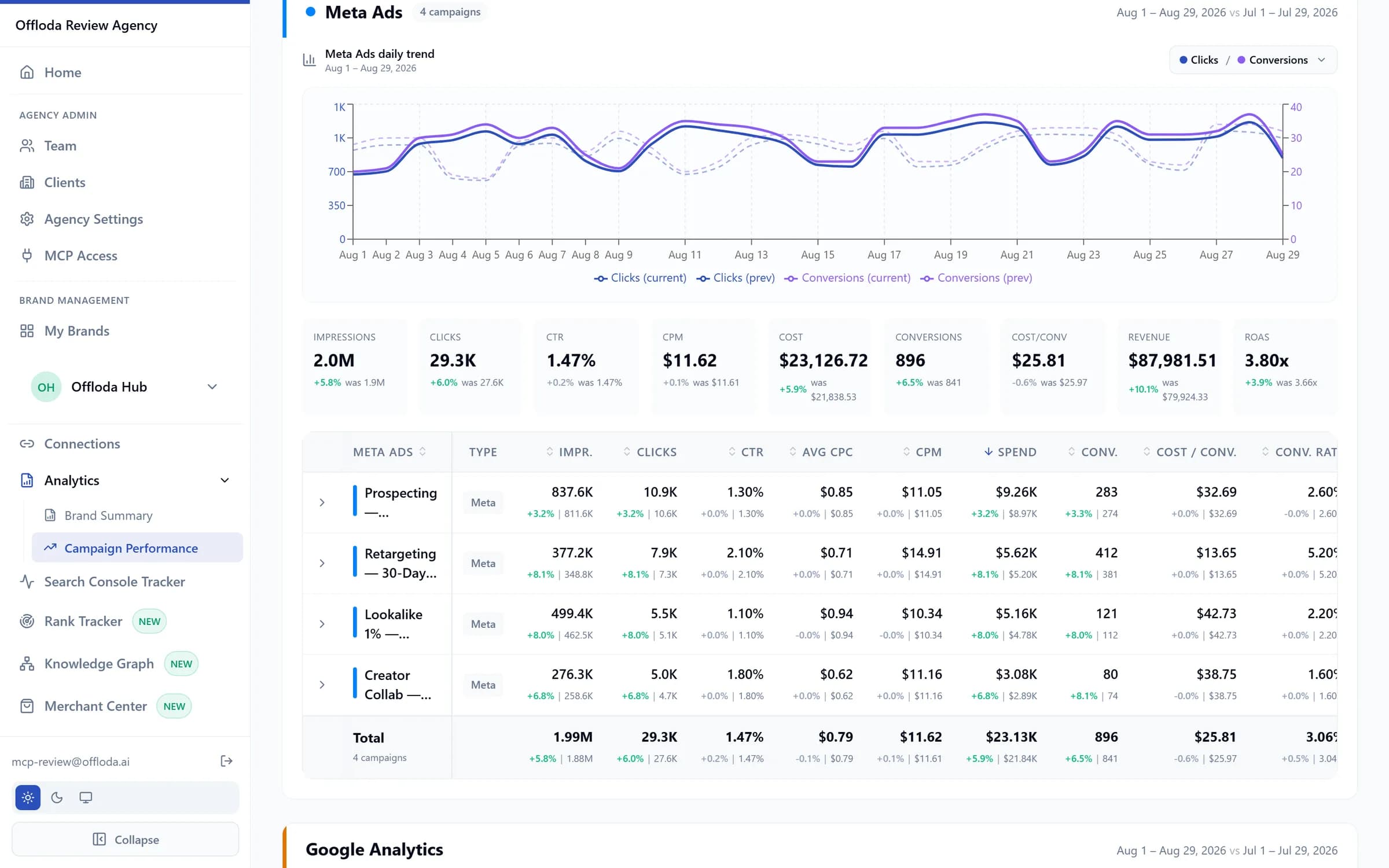
Meta Ads
Campaign→ad-set performance with creative-level results.
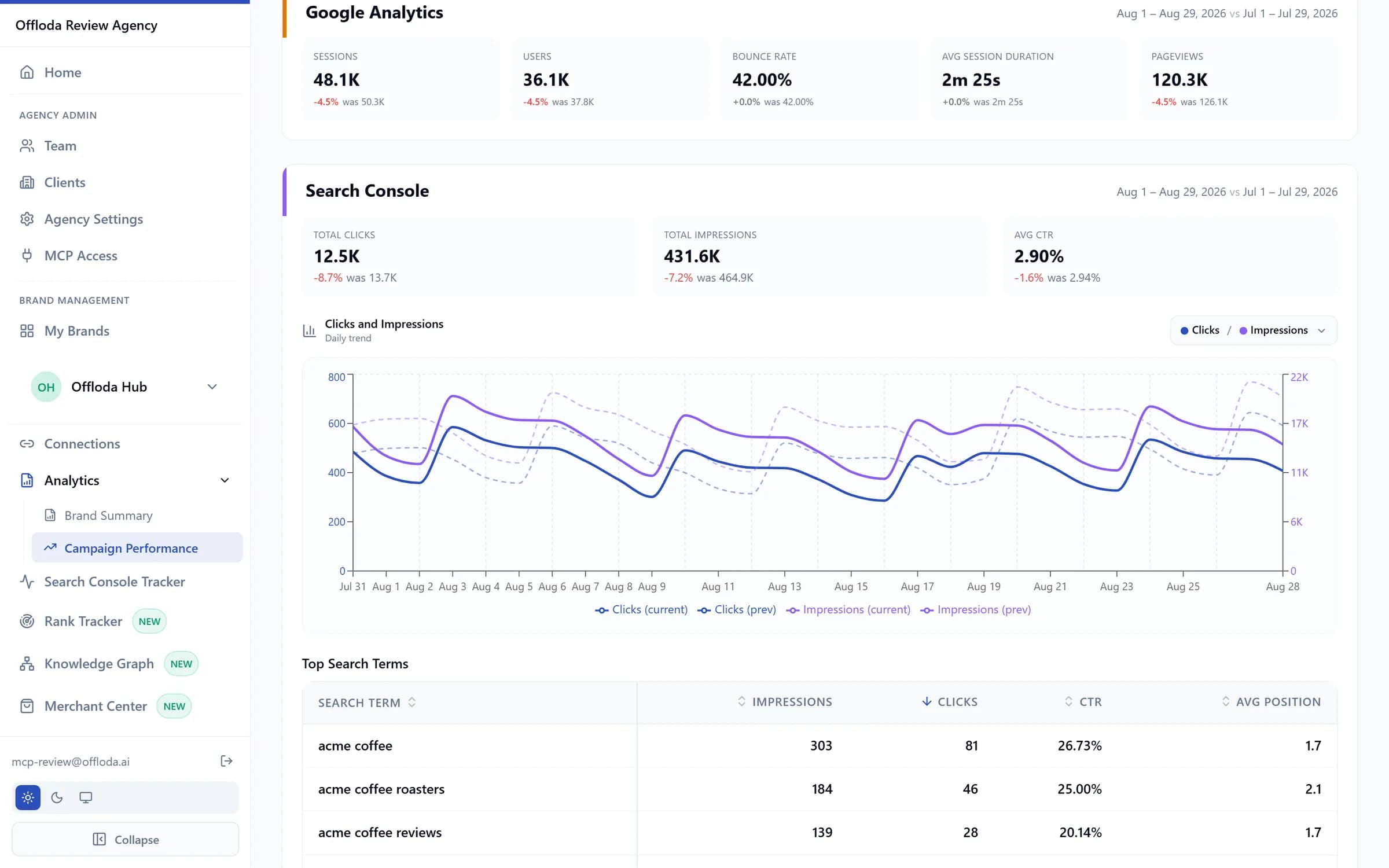
GA4
Sessions, engagement and key events by channel — what happened after the click.
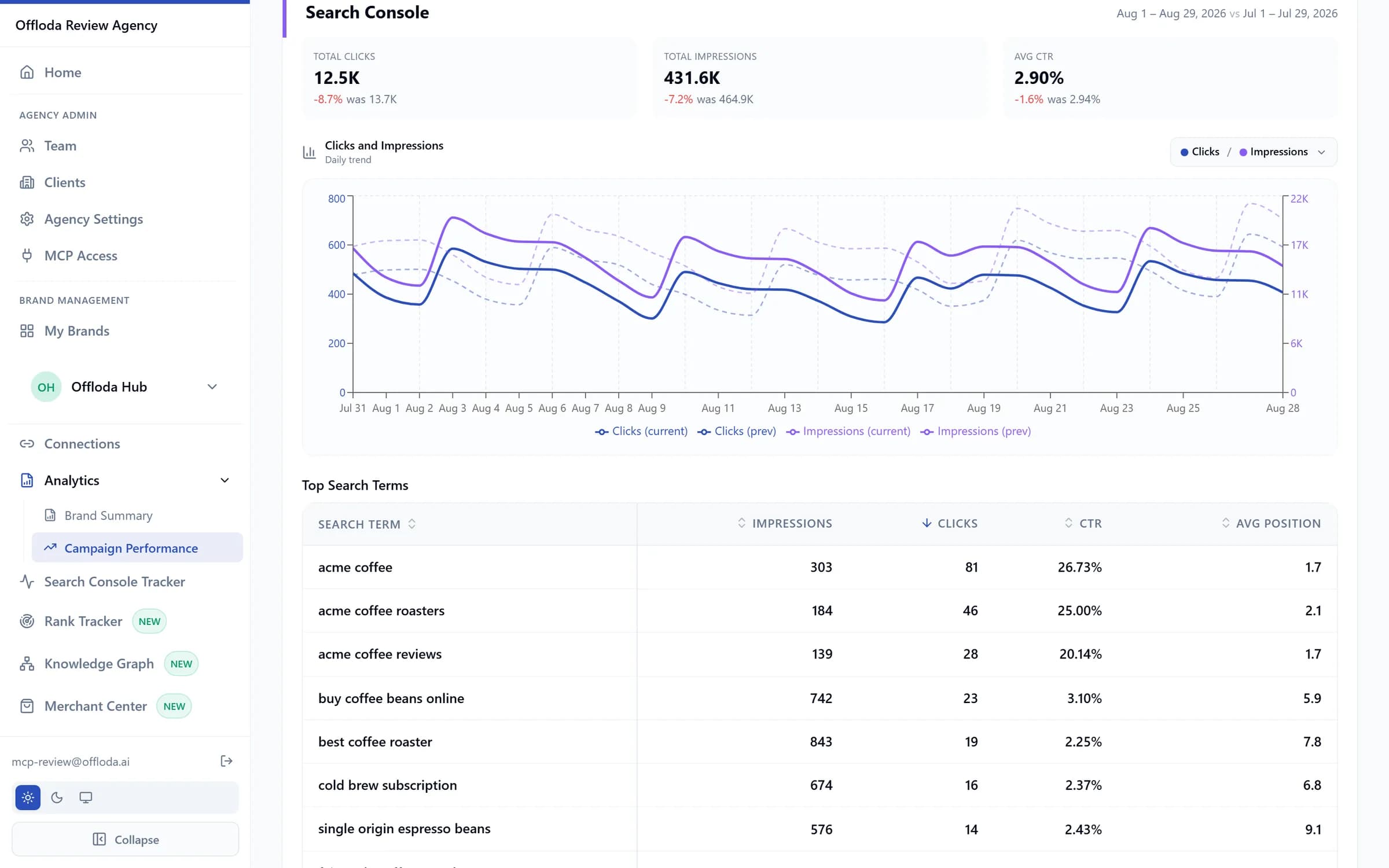
Search Console
Queries, clicks and impressions — how they're found organically.
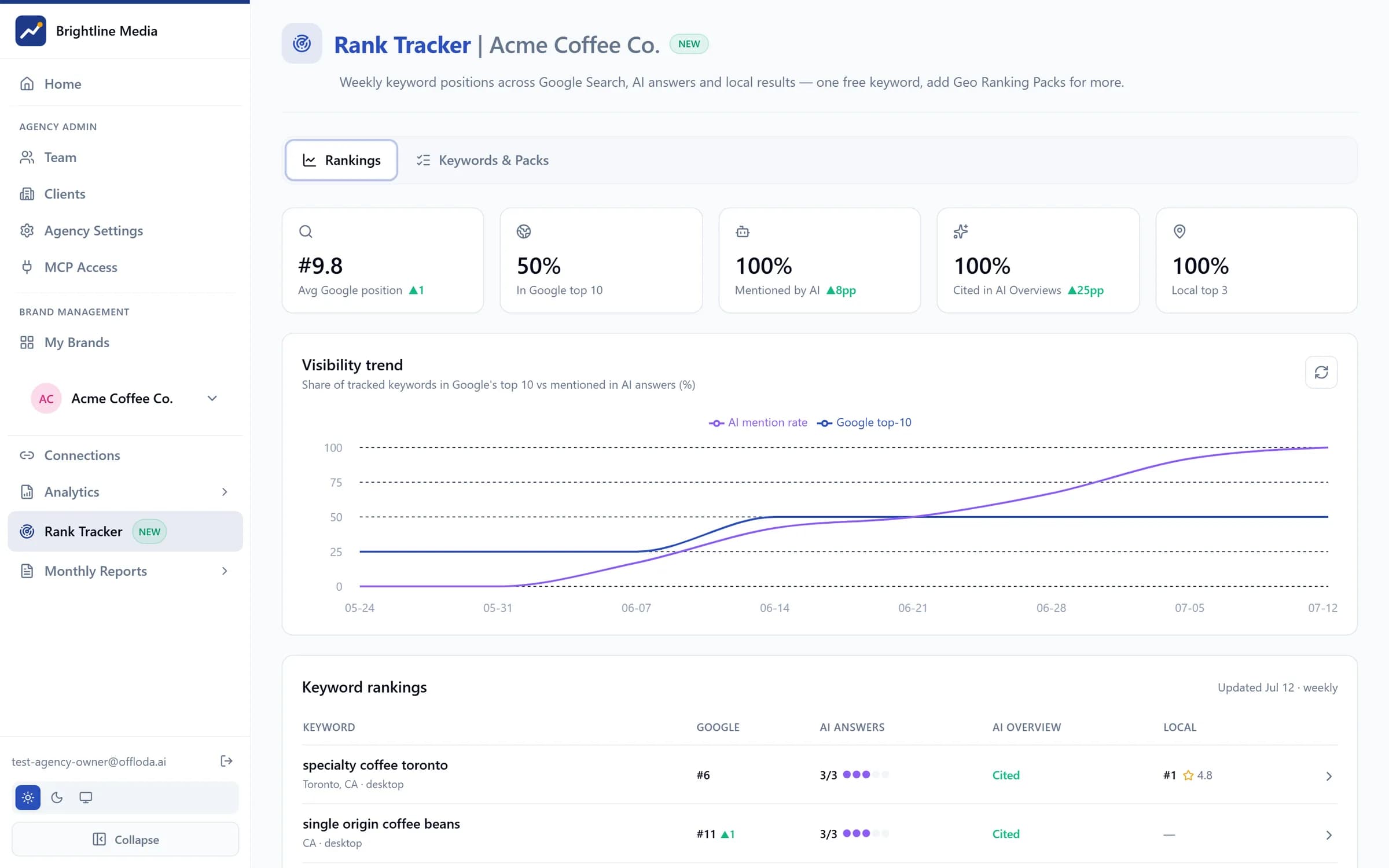
Organic rankings
A ranking tracker built from Search Console — positions over time, no extra tool.
Deliverables that feel like your product.
A live dashboard
Always-on performance, loading in seconds — not a PDF that's stale on arrival.
Multi-channel view
Paid, organic and analytics side by side, reconciled into one story.
AI-written summaries
A monthly narrative in plain language that explains the numbers — written before they ask.
Organic ranking tracker
Positions from Search Console data — proof the SEO retainer is working.
A $50 seat your clients will actually use.
Client seats are read-only portal logins at $50/mo each — white-labelled under your agency's brand. Your client signs in at your domain, sees your logo, and gets live answers instead of emailing you for numbers.
- Read-only — clients can look, never touch
- Your logo, your colours, your domain
- Fewer status-update emails and calls
- Add or remove seats anytime, prorated
The part they didn't expect.
“Wow. It's the first time I truly understand what is going on in our marketing campaigns with such detail.”
“I just cleared my weekly account checklist by 11am on Monday. I might have to find some new clients to stay busy.”
“I audited our site and fixed 3 issues on Search Console and Key Events missing in Google Analytics that I did not know were missing.”
Client portal questions
Will my clients ever see the Offloda name?
No. Your logo, colours and domain carry the login page, the portal, the dashboards and every report. The only place Offloda shows up is your own billing.
Can a client change anything?
No. Client seats are read-only by design. They can look at every number, drill into every campaign and open every report — and they can't touch a budget, a bid or a setting. If something needs to change, they ask you. That's the point.
What does a client seat cost?
$50 a month per login, prorated. Add one when a client joins and remove it the day the retainer ends; Stripe prorates the difference on your next invoice. There's no free client seat — the free seat on every plan is yours.
What can they actually ask it?
Anything the dashboard already knows. “How did Google Ads do last month?” “Why did leads dip in June?” — answered in plain language, from live data, under your brand. The limit is the data: it answers about the accounts connected to that brand, nothing beyond.
Can one client see another client's numbers?
No. Every brand sits in its own private workspace, and a client seat reaches the brand it was given and nothing else. That's enforced in the database, not in a setting someone could forget to tick.
How fast can I onboard the next client?
Minutes. Connect the brand's accounts, add a client seat, send the invite. The one step not on your clock is whoever holds the ad-account login authorizing the connection.
Give clients a portal they brag about.
Set up your workspace, connect a brand, and invite your first client today.