

Google Ads MCP — read, analyze and deploy Google Ads from AI chat.
Connect once. Then performance, the next move and it — after your yes, always.
What the Google Ads MCP is
The Offloda Google Ads MCP is a connector between your Google Ads account and any MCP-capable AI client. Ask a question in plain language; Offloda reads the account, proposes the change, and waits for your approval before anything goes live. No dashboards, no tab-switching, and no handing an AI unsupervised access to live spend.
What you can do
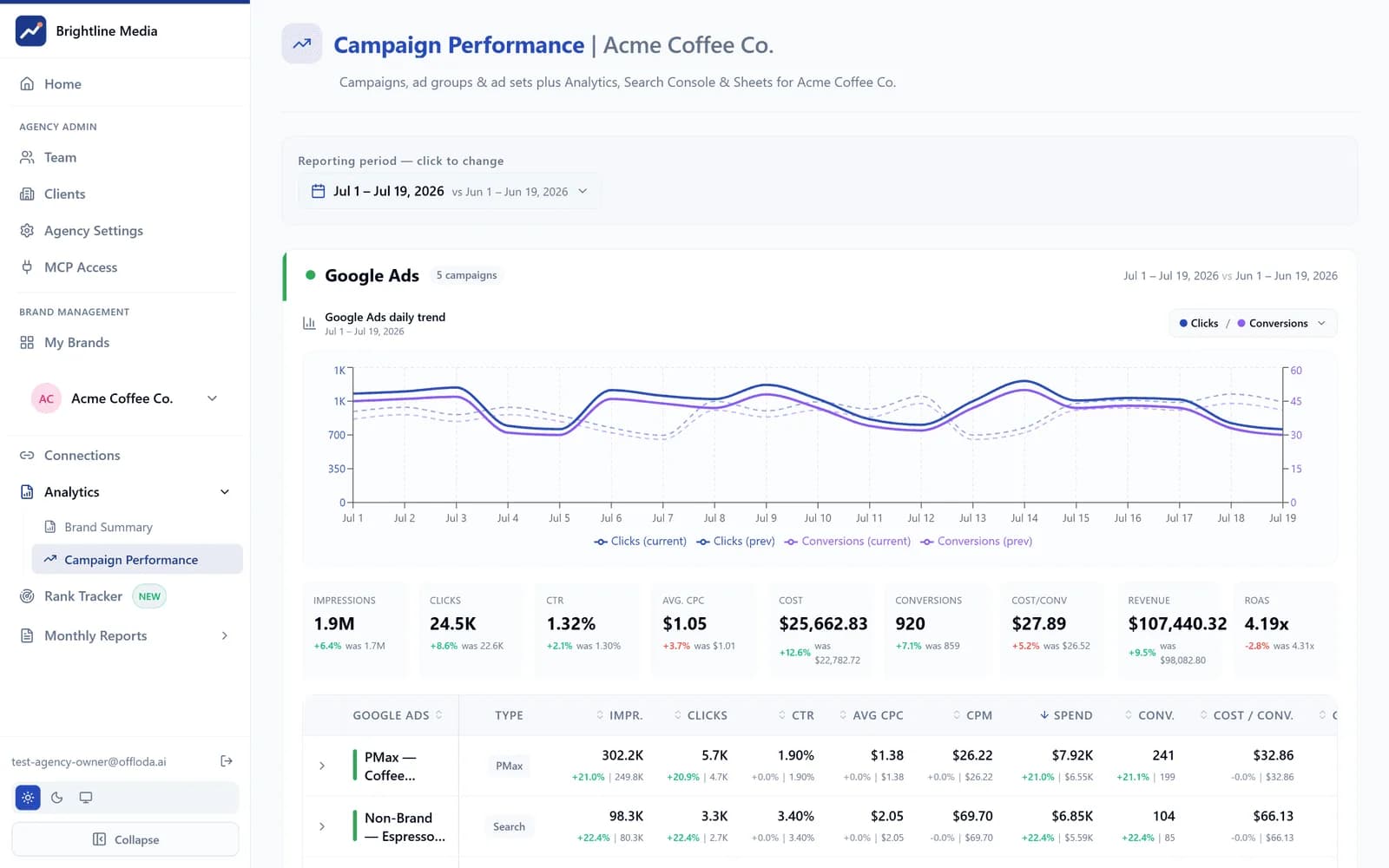
Performance across campaigns, ad groups, keywords, assets and audiences — pulled live, summarized in plain language.
Budget and bid changes, negative keywords, asset-group edits, PMax and Search adjustments.
New Search, Performance Max and Demand Gen campaigns — created paused, for your review.
Spend, ROAS and conversion data into branded reports.
How changes reach Google Ads
Every change is shown to you first. You see the exact diff before it applies. Budget and bid changes above your threshold require a second confirmation. New campaigns launch paused. Nothing touches live spend without your explicit approval — so junior staff, or the AI itself, can operate without putting the account at risk.
Connects with
Google Ads is one input in the same workspace — these are the plays it unlocks with the rest of your stack.
Search Console
Decide which queries to buy vs. earn. Pull the terms already ranking organically and stop paying for clicks you'd get for free.
Google Analytics
Close the loop on ROAS. Feed conversion and audience signals back into bid and budget decisions.
Meta Ads
One cross-channel view. Balance spend across Google and Meta from a single approval.
AI-search visibility
Defend branded demand. See when AI answers start (or stop) sending branded queries and adjust paid coverage.
Campaign & ad-group analysis · keyword and search-term insights · budget & bid actions · negative-keyword management · PMax asset-group edits · campaign creation (paused) · performance reporting.
Every change waits for your yes; every client stays in its own private workspace.
Security
OAuth connection — Offloda never sees your password. Tokens are scoped and encrypted at rest. Every client brand is in its own private workspace; nothing crosses between clients. No AI keys in the browser. Every action is on the record.
For agencies
Connect each client's Google Ads in its own private workspace. Your team sees only the accounts you've given them. Clients experience it as your product — your brand, your domain. Add Google Ads to a client in minutes, not a migration.
vs. a raw Google Ads MCP
Open-source MCPs give an AI direct, unsupervised access to one account. Offloda adds the approval step (nothing changes without your yes), one private workspace per client (safe for a book of business), and cross-platform breadth (Meta, Analytics, Search Console and LinkedIn Ads in the same place) — the things that make it safe to use on live spend.
Frequently asked questions
Does Offloda store my Google Ads password?
No. Connection is via OAuth; Offloda receives a scoped token, never your credentials.
Can the AI spend money without approval?
No. Every budget or bid change is shown to you first and requires confirmation; new campaigns launch paused.
Where can I use it?
Claude, ChatGPT — any MCP-capable client. Same actions, same approval step, everywhere.
Do I need to build anything?
No. Connect the account and go. Nothing requires code.
Google Ads MCP — approved by you, under your brand.
Runs on your own AI subscription · New campaigns start paused · One private workspace per client